# Ödeme Ayarları
### Ödeme Ayarları
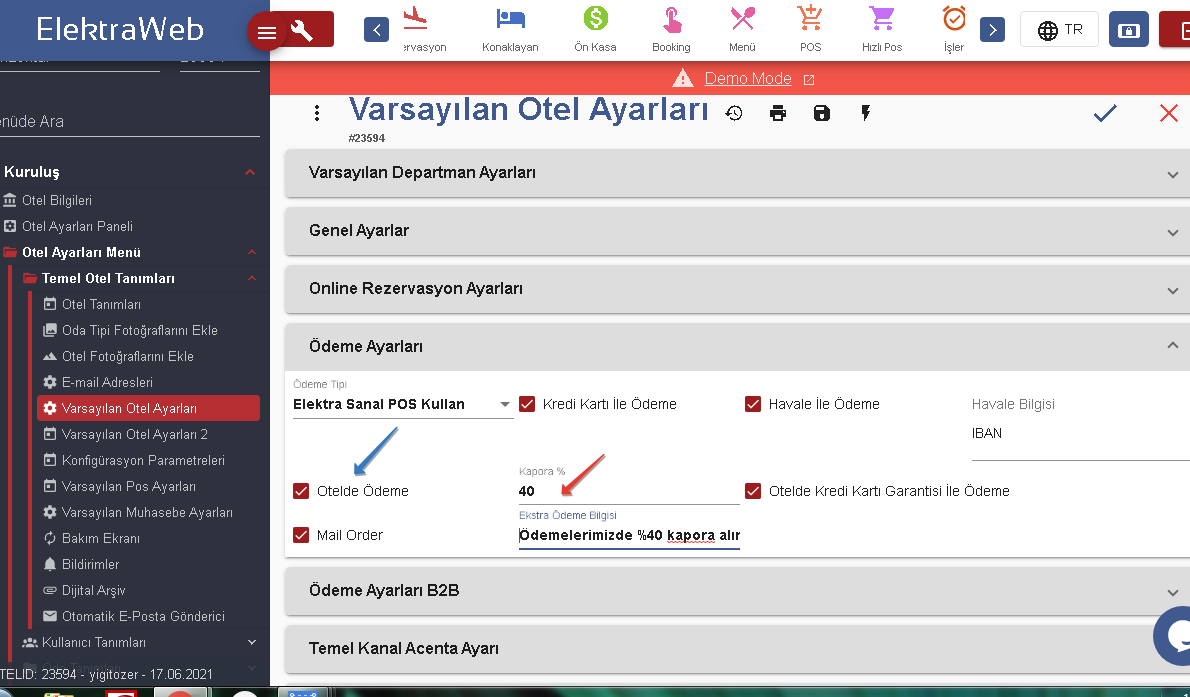
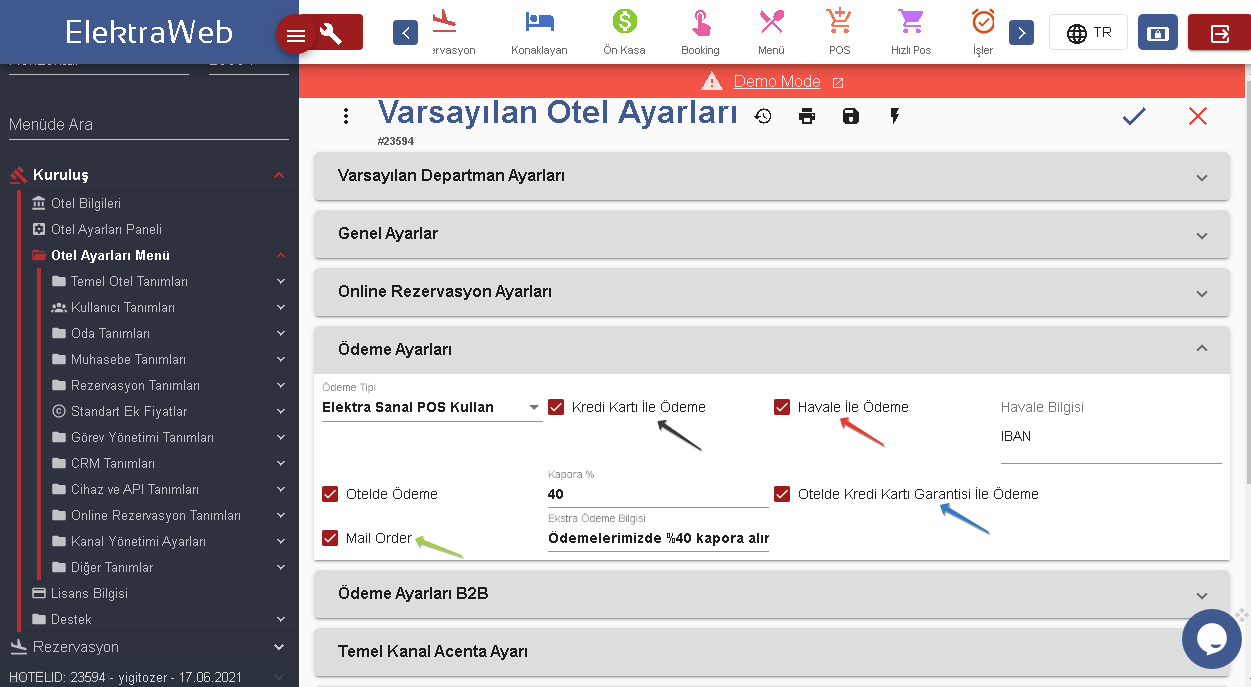
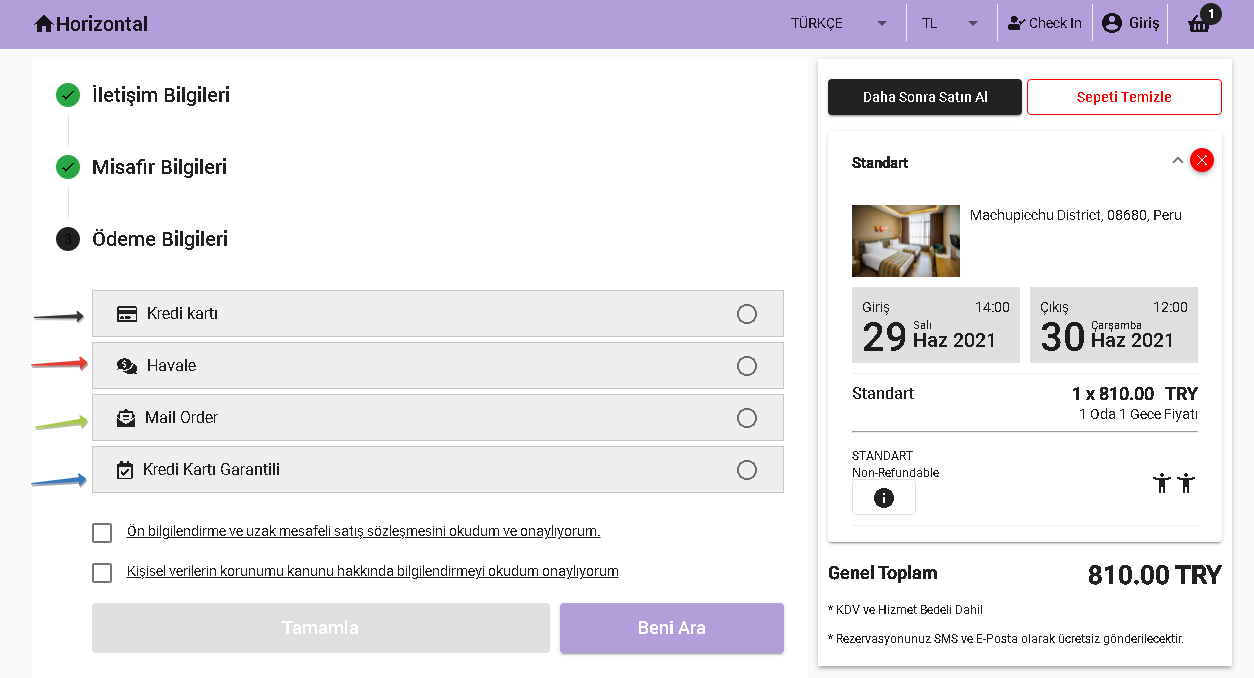
Ödeme ayarları kısmında, otelinizin müşterilerinize hangi tür ödeme olanakları sunduğunu belirtebilir ve müşterilerinizin istedikleri biçimde işlem gerçekleştirmesini sağlayabilirsiniz.Eğer ki kapora şartınız varsa oda fiyatının yüzdesi olarak belirleyebilir ve otelde ödeme olanağı varsa bu iki opsiyonun Booking otel bilgileri kısmında görünmesini sağlayabilirsiniz. Ödemeleriniz için kullanacağınız pos tipini “Ödeme Tipi”kısmından seçebilirsiniz. ”Ekstra Ödeme Bilgisi” alanına gireceğiniz bilgilendirme rezervasyon sonrası Voucher Belgesine yansıtılır.
####
---
# Agent Instructions: Querying This Documentation
If you need additional information that is not directly available in this page, you can query the documentation dynamically by asking a question.
Perform an HTTP GET request on the current page URL with the `ask` query parameter:
```
GET https://onlinekilavuz.elektraweb.com/varsayilan-otel-ayarlari/online-rezervasyon-ayarlari/odeme-ayarlari.md?ask=
```
The question should be specific, self-contained, and written in natural language.
The response will contain a direct answer to the question and relevant excerpts and sources from the documentation.
Use this mechanism when the answer is not explicitly present in the current page, you need clarification or additional context, or you want to retrieve related documentation sections.